General manager
One page for today. One edition for the owners.
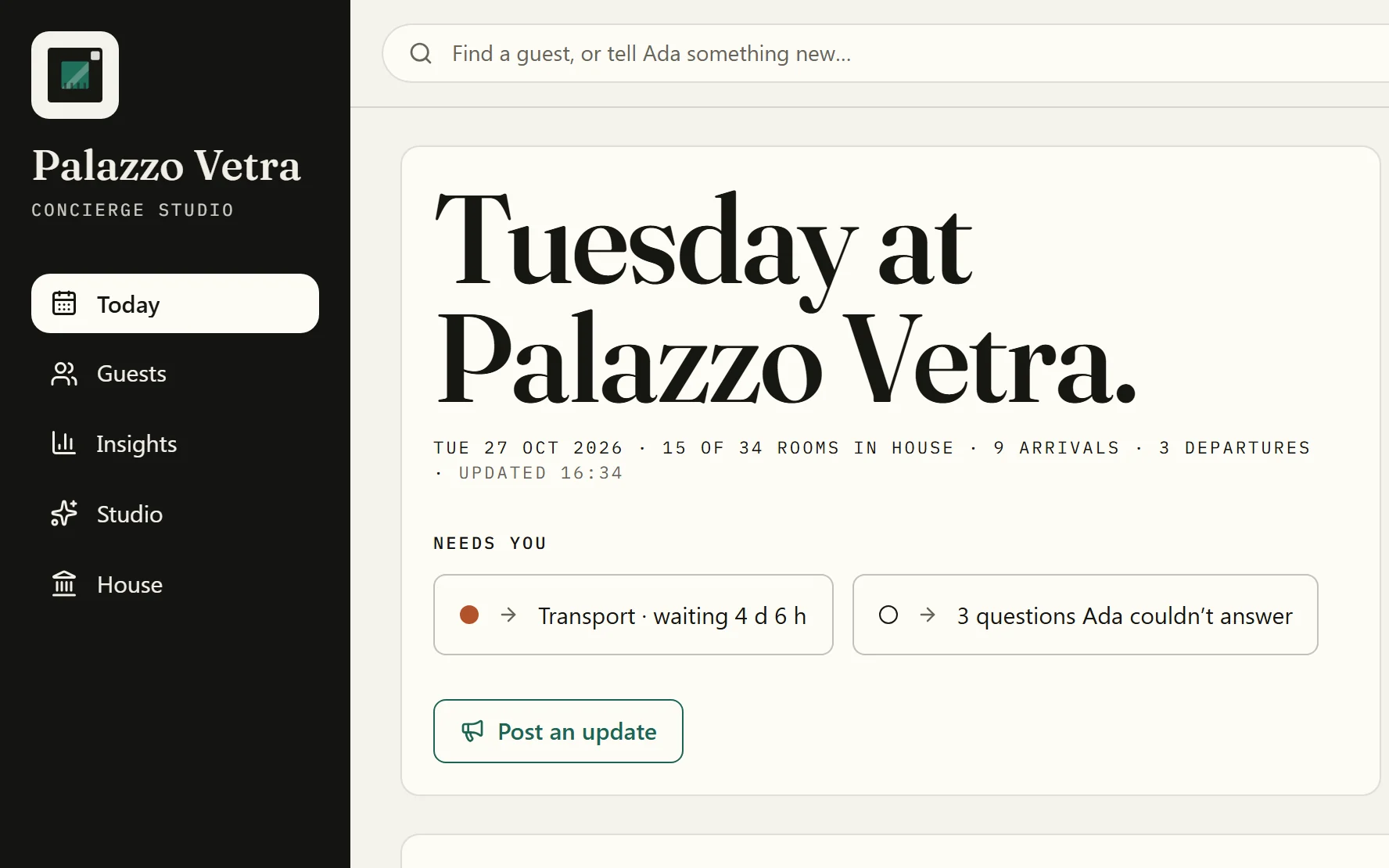
Today shows the house as it stands. Insights turns any counted month into a printable edition, from your own data.
A concierge for the whole stay · A back office for your team
In the house and out in the city, from the first message to checkout, Aikebom answers every guest in their language and plans their days around your property. Whatever they need from you lands on one live board for your team, with the room attached.
Running a conference or a retreat? Aikebom Events AI
Rooms in house and arrivals come from your PMS connection.
Every screen on this page is Palazzo Vetra, our demo property in Milan.
One service, two sides
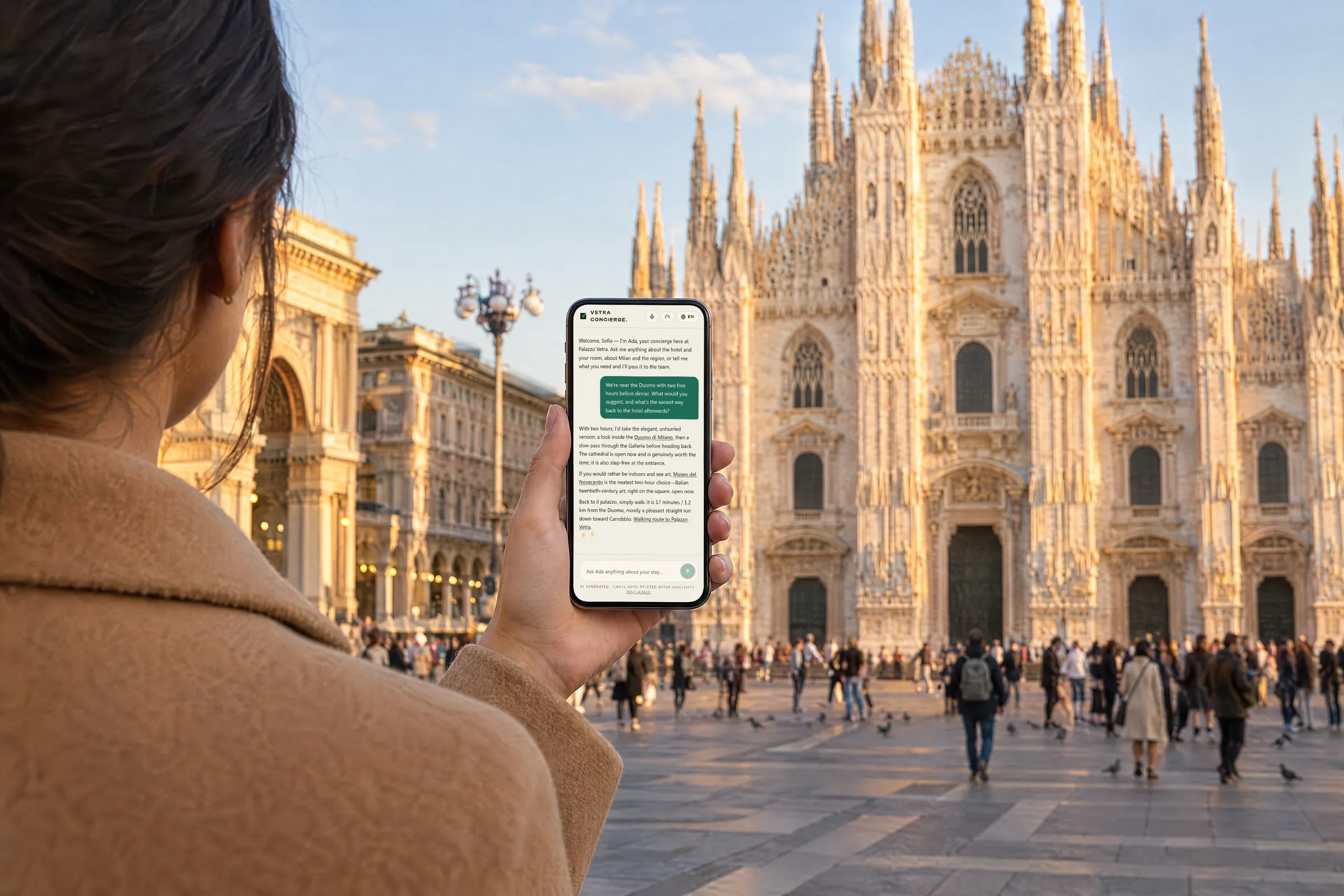
Your guest is out in the city and asks in their own words. What needs a person reaches your desk as a request with the room attached — and when your team marks it done, the guest is told on WhatsApp or by email, wherever they are.
22:40 · At dinner in Brera
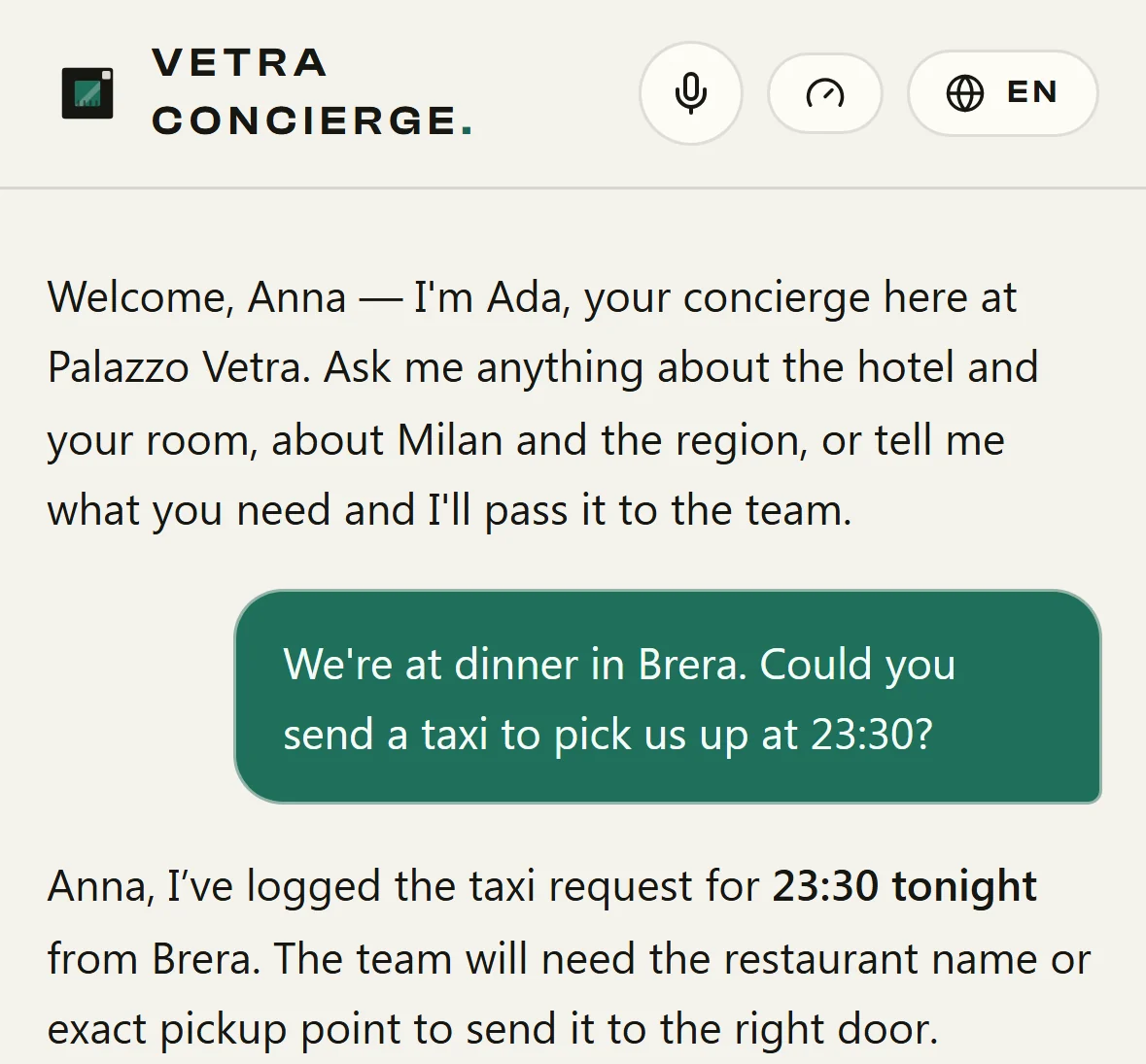
22:41 · Your desk sees it
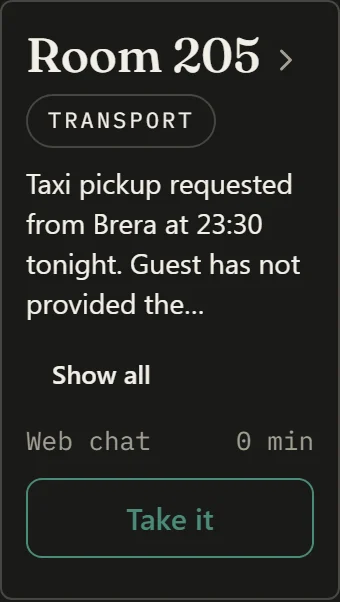
23:02 · Your team marks it done
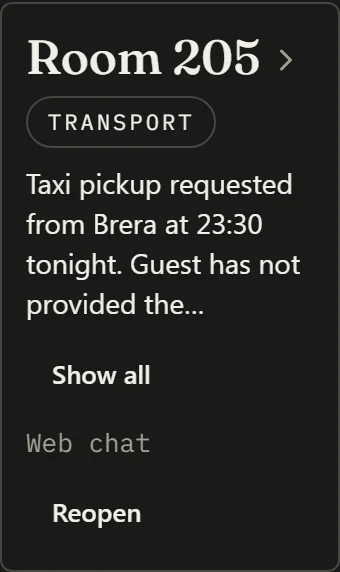
Guests are told on WhatsApp or by email where the property has switched notices on and has a way to reach them; when a guest can’t be reached, the desk shows it.
The whole stay · out in the city
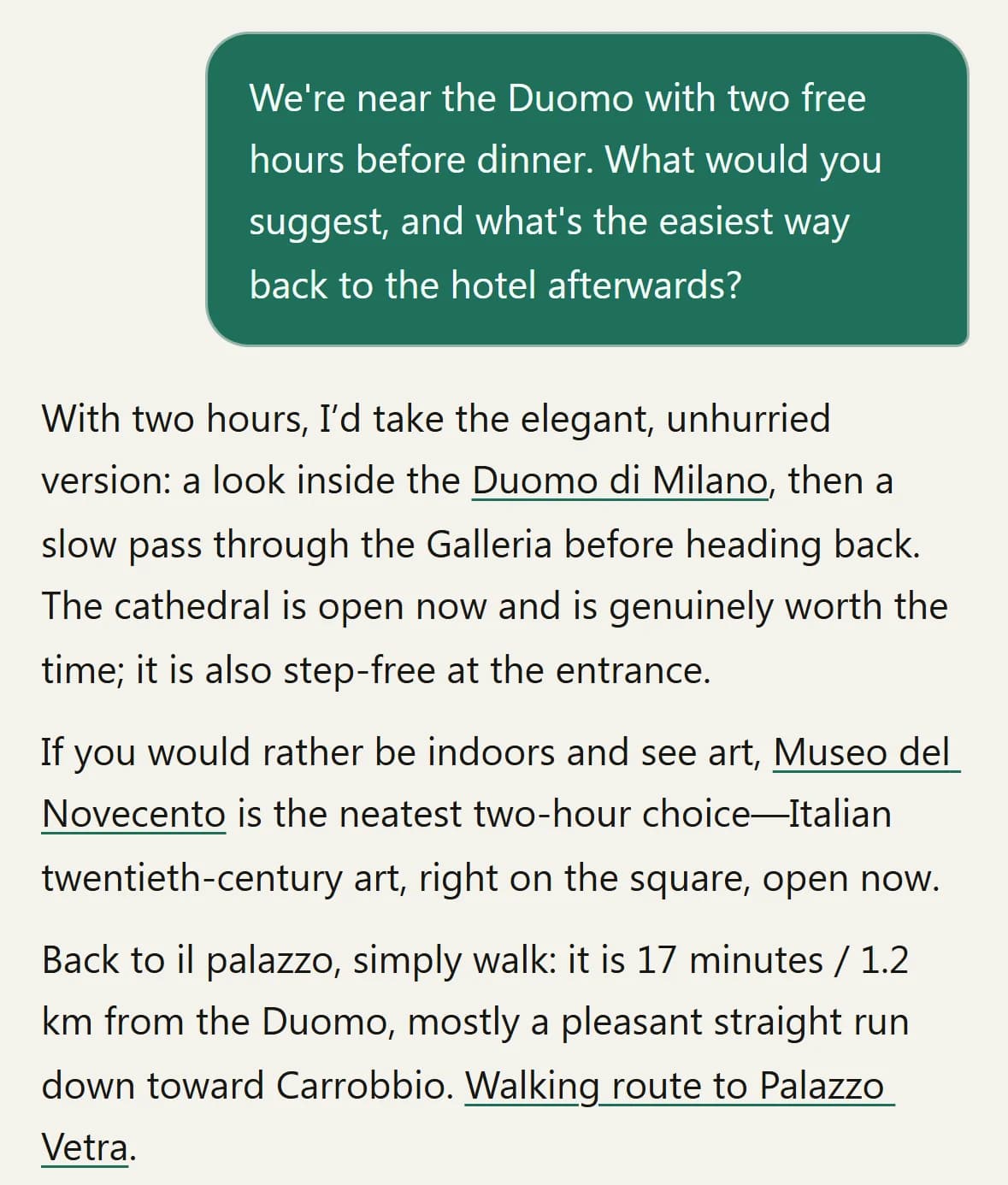
Most of a stay happens outside your building. Aikebom keeps your concierge in your guests’ pockets all day: in their language, with places looked up live, your own restaurants and partners first when they fit, and a straight line back to your desk.
It goes with your guests. It never asks their phone for its location.
The back office · five places and a desk
Open the back office and your property’s day is the first thing you see: who is in, what is waiting, and what needs you.
Rooms in house and arrivals come from your PMS connection.
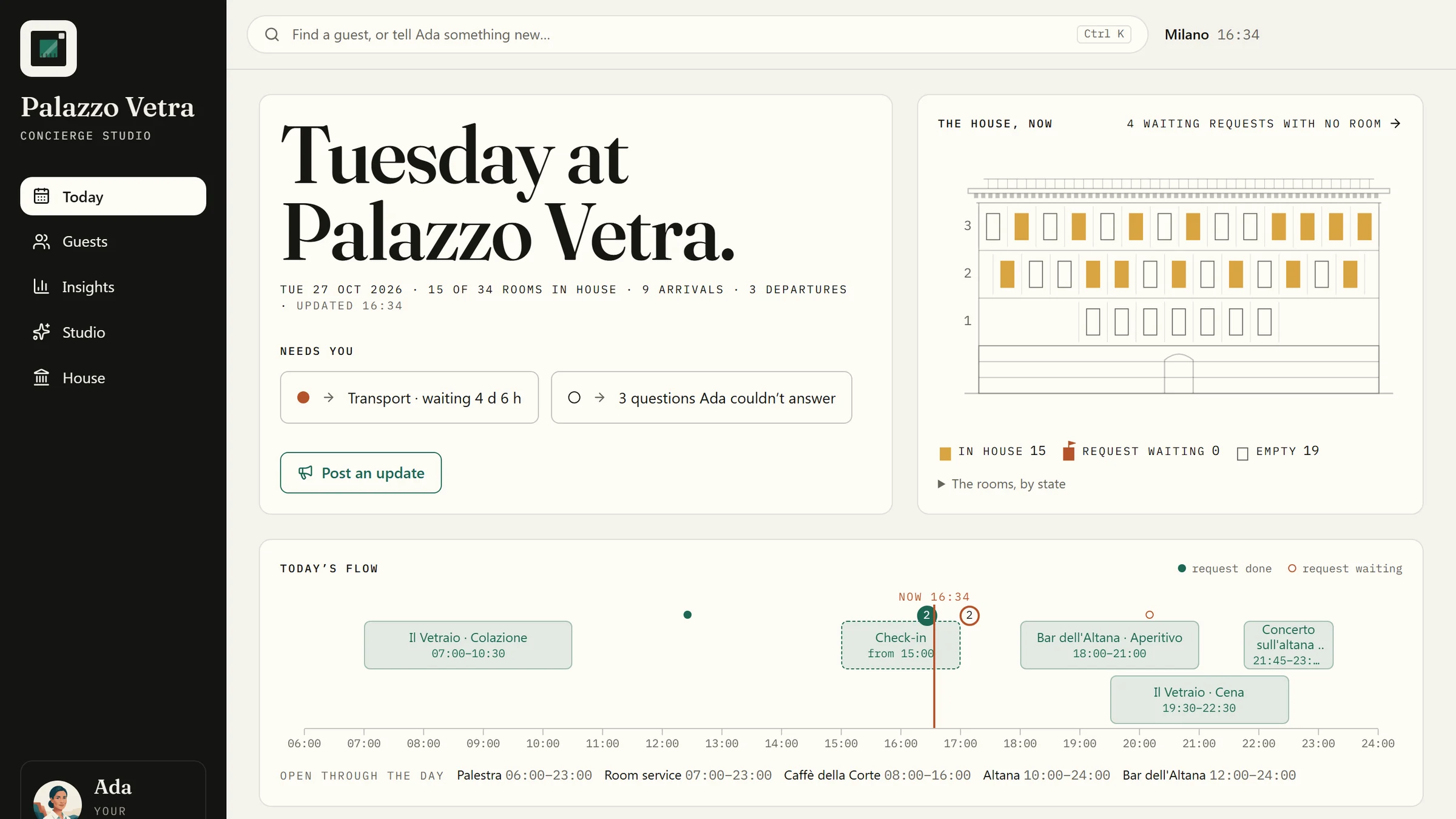
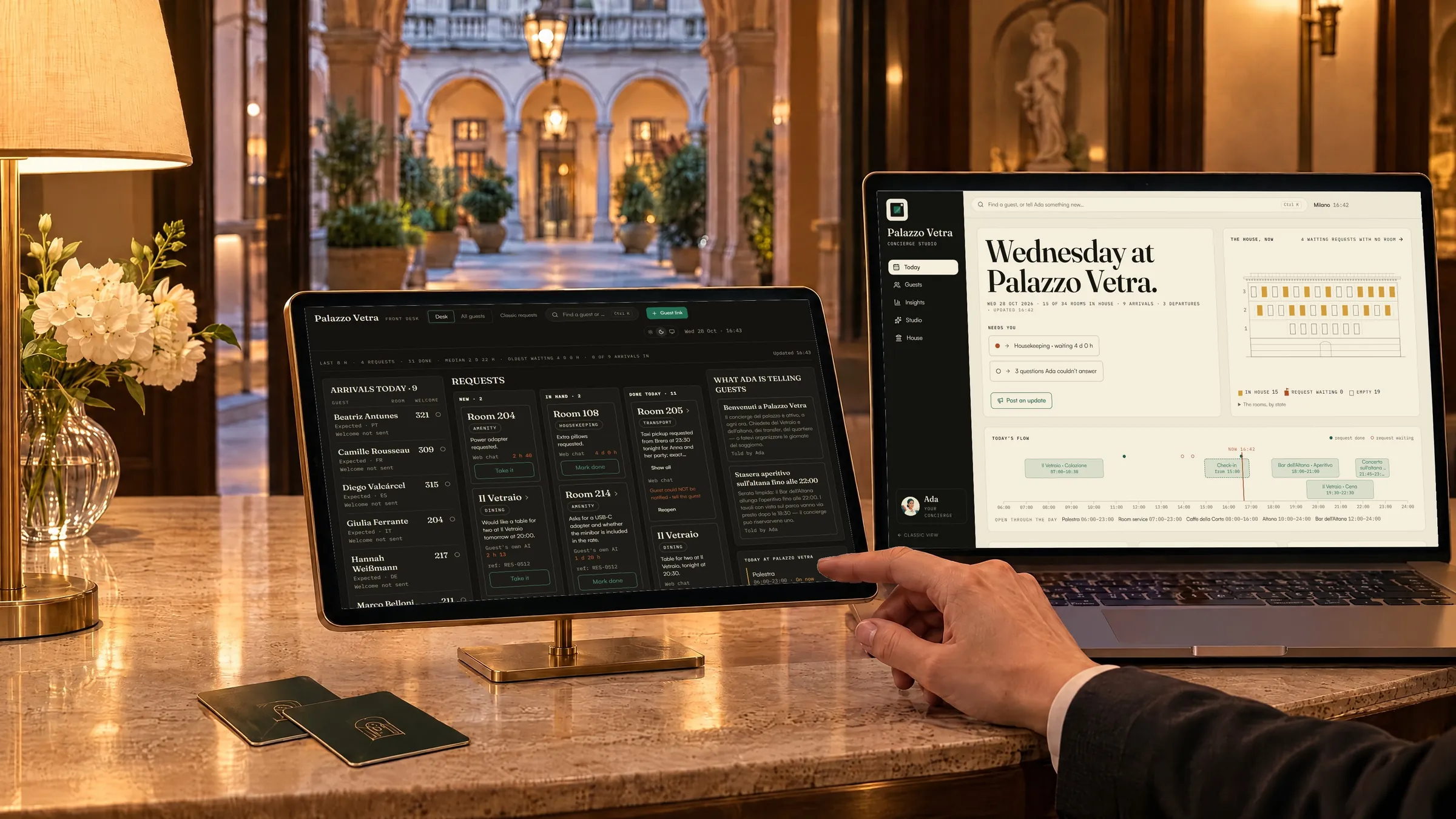
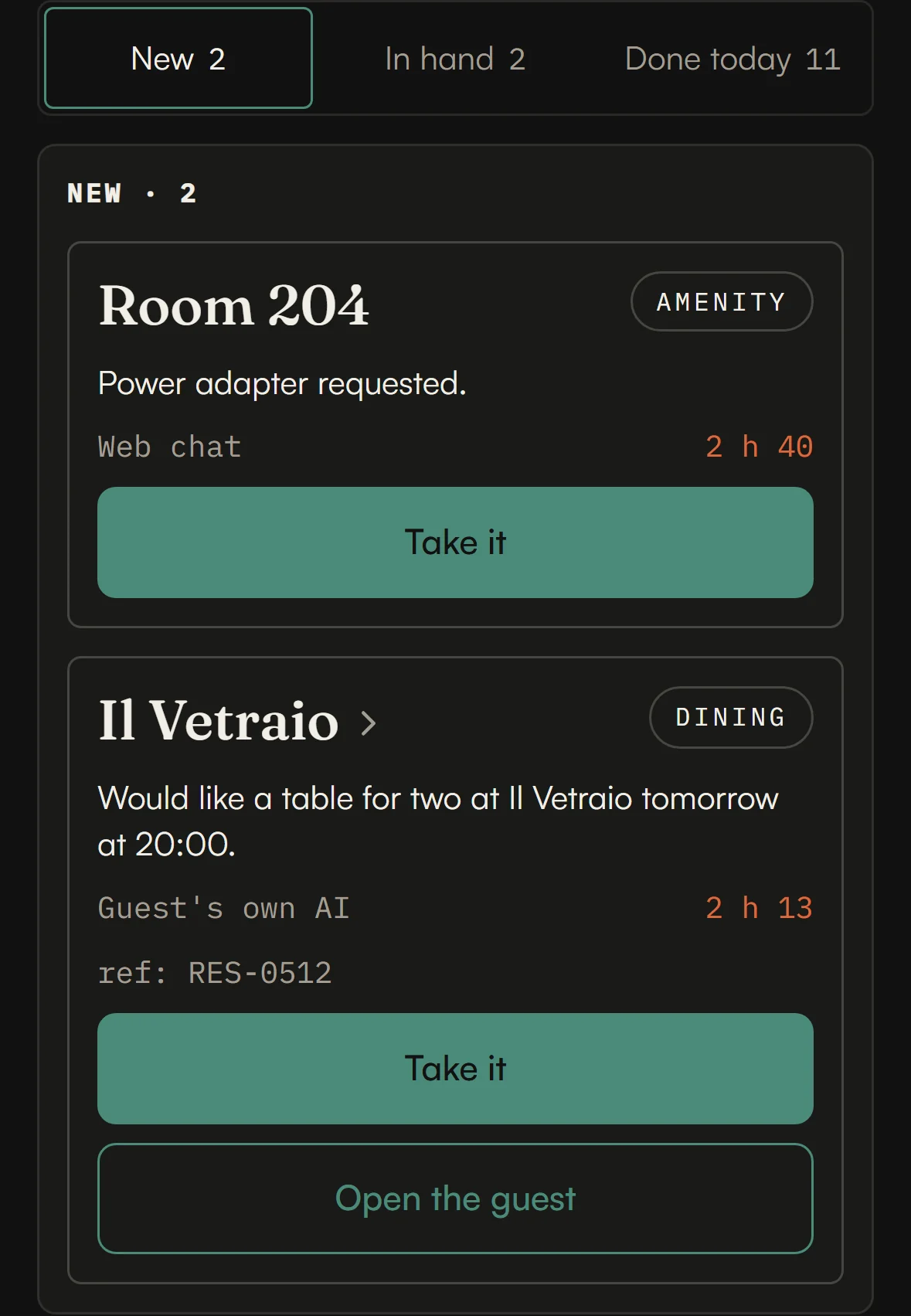
Requests land in New with their room and how long they have waited. Your team takes them and marks them done, at the desk or on a phone.
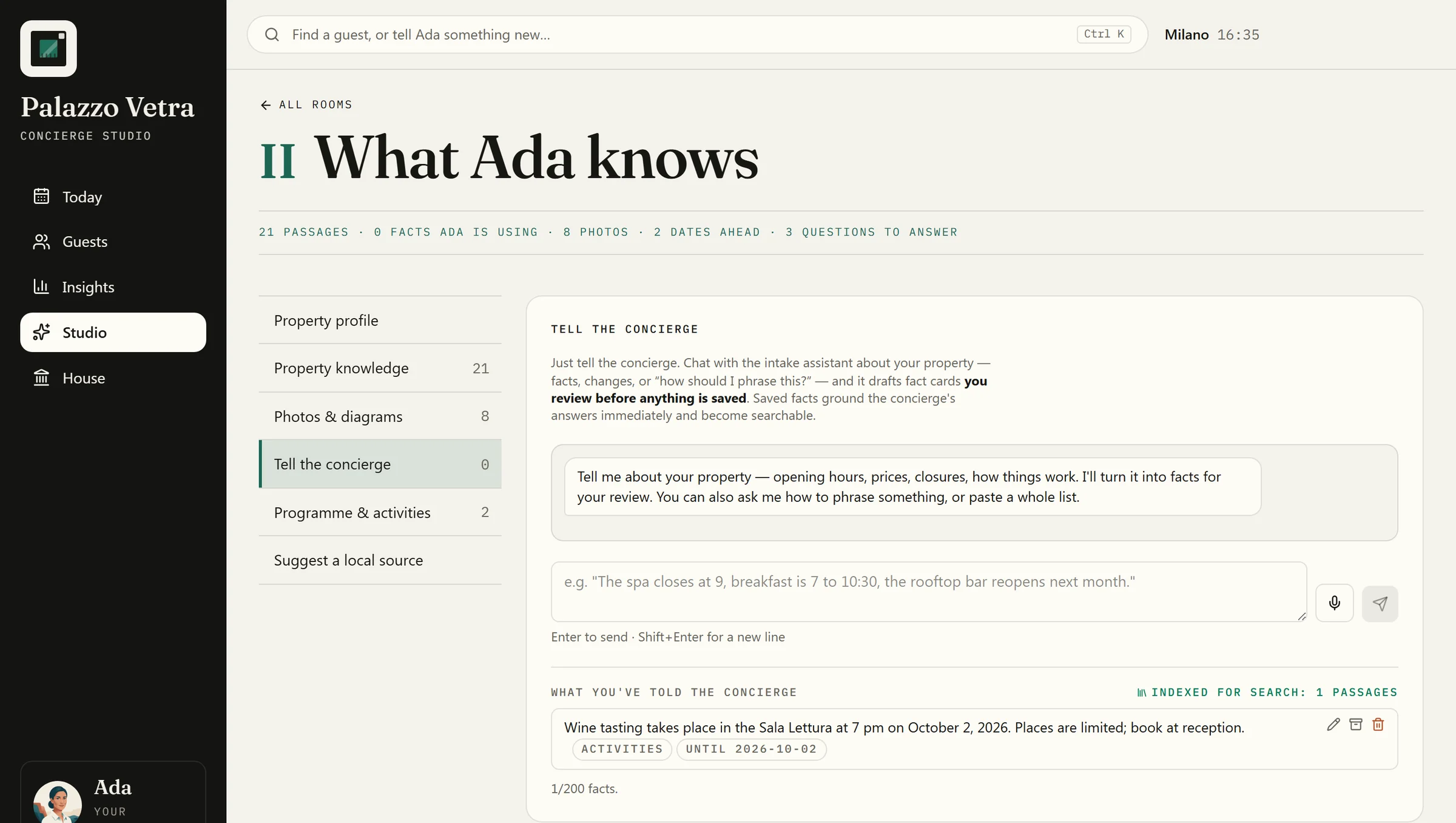
Six rooms for everything that shapes your concierge: what it knows, says, recommends and can do. Tell it a change in your own words: it drafts the facts, and nothing is saved until you review them.
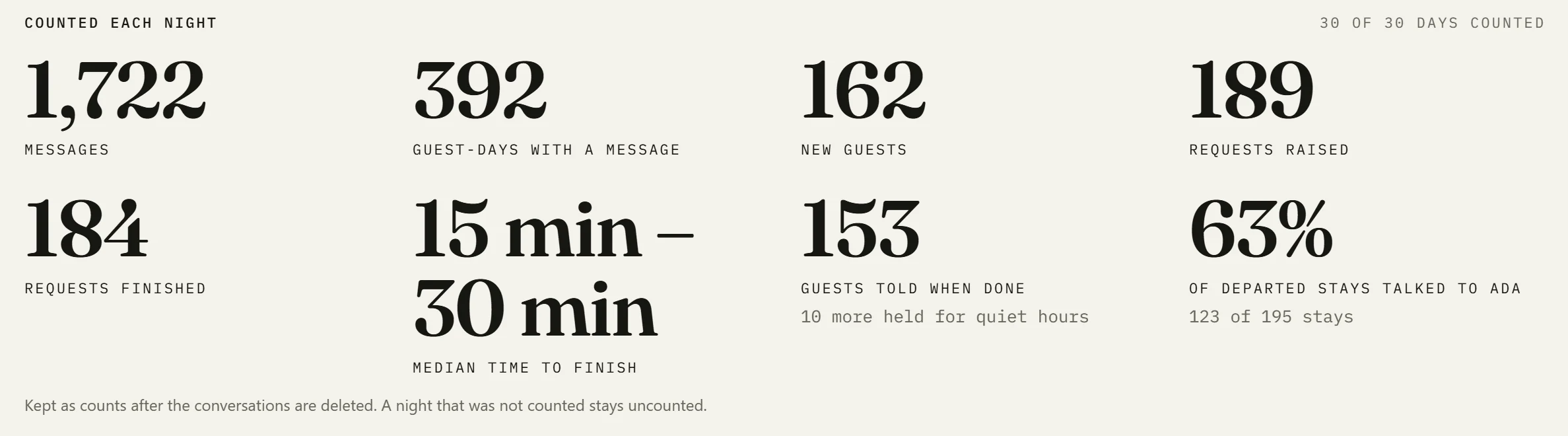
Insights turns any counted month into a printable edition, from your own data. The counts are kept after the conversations are deleted.
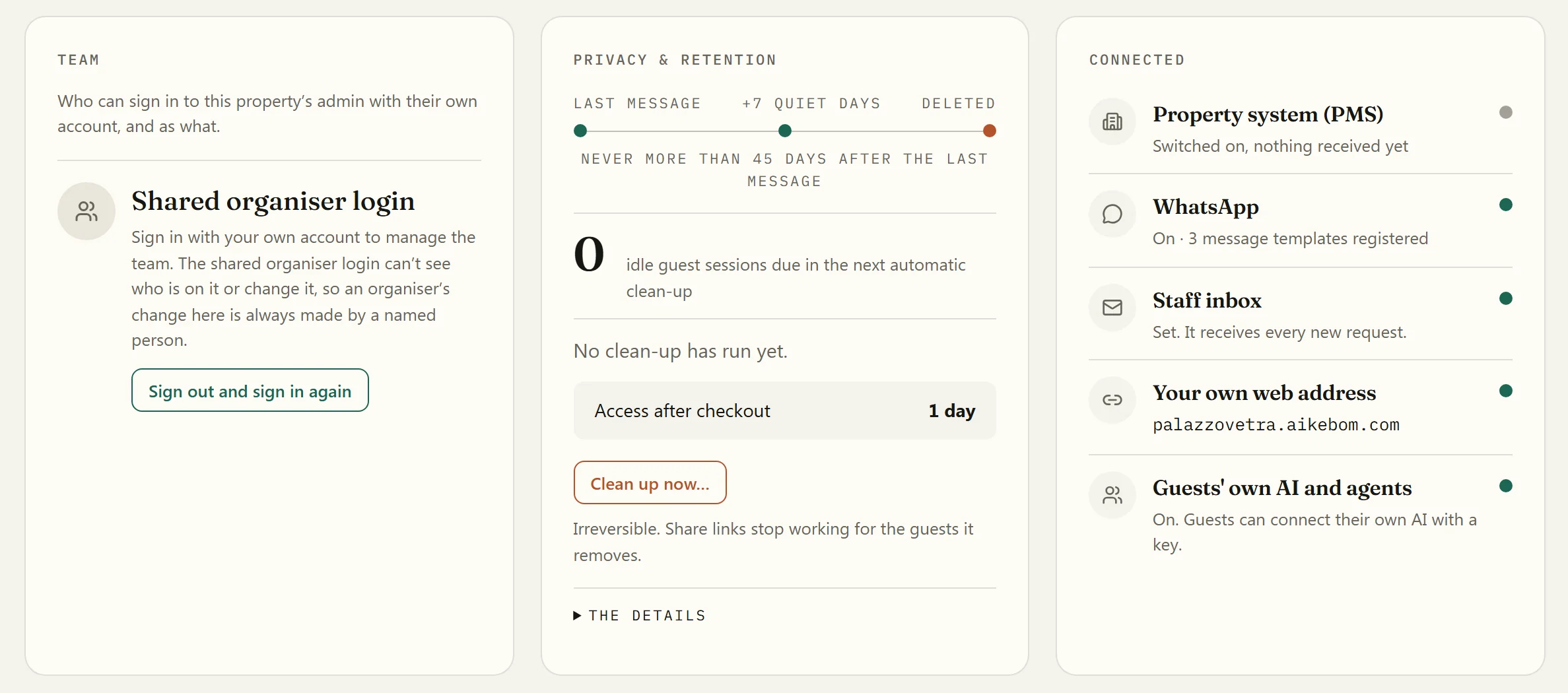
Named sign-in with Google or a Microsoft work account, retention drawn as the rule, and each connection’s status on one page.
The desk · for the evening shift
Your front desk works from one board, dark by default for the evening shift. Every request the concierge raises lands in New with its room or place and how long it has waited. Take it, mark it done, and where your property tells guests, the guest is told on WhatsApp or by email.
The desk never shows a guest’s conversation.
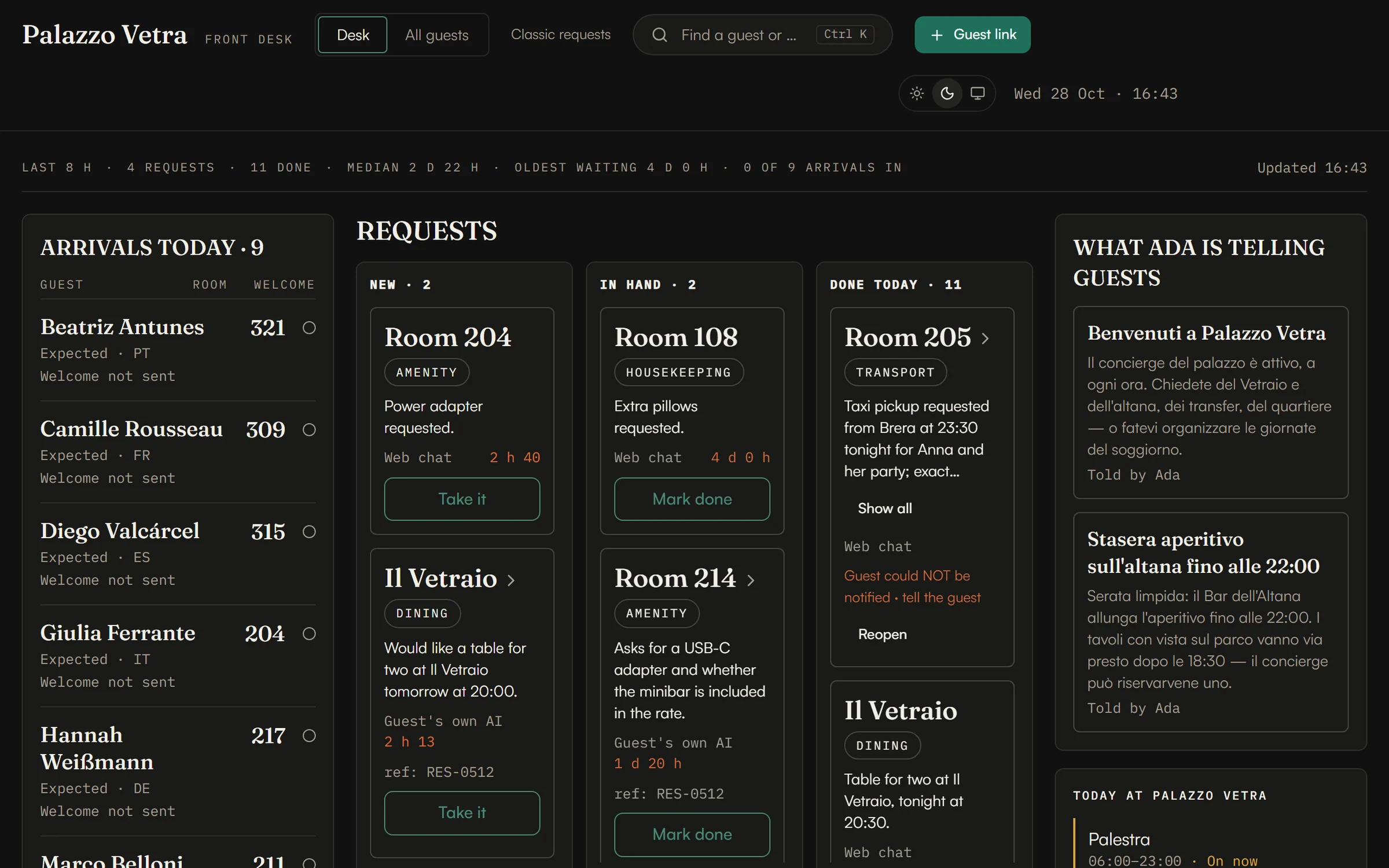
Rooms in house and arrivals come from your PMS connection.
What changes, and for whom
General manager
Today shows the house as it stands. Insights turns any counted month into a printable edition, from your own data.
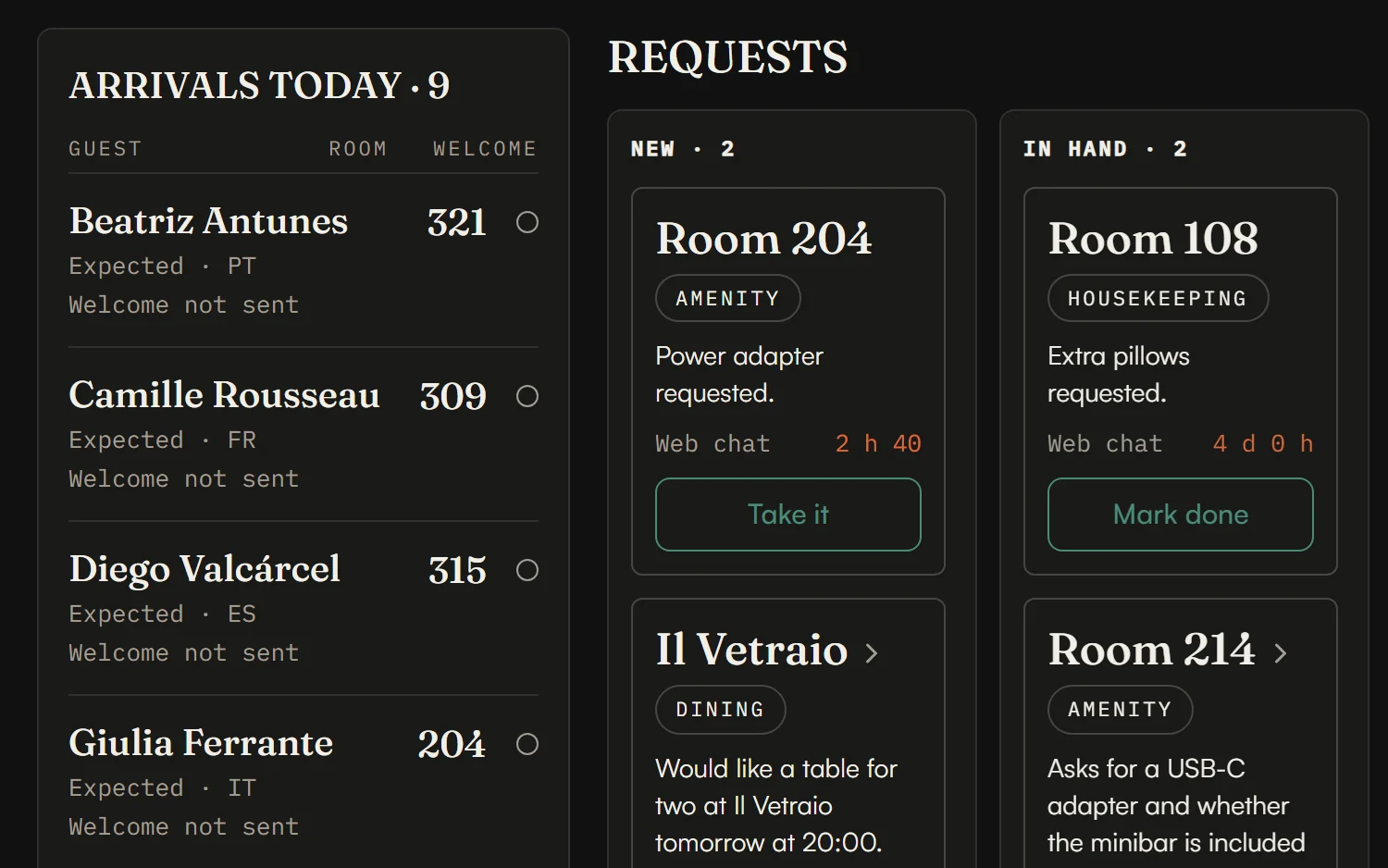
Front office
Every request arrives with its room or place and how long it has waited. Mark it done and, where your property tells guests, the guest hears on WhatsApp or by email — and when they can’t be reached, the desk sees that — so nobody has to remember to call back.
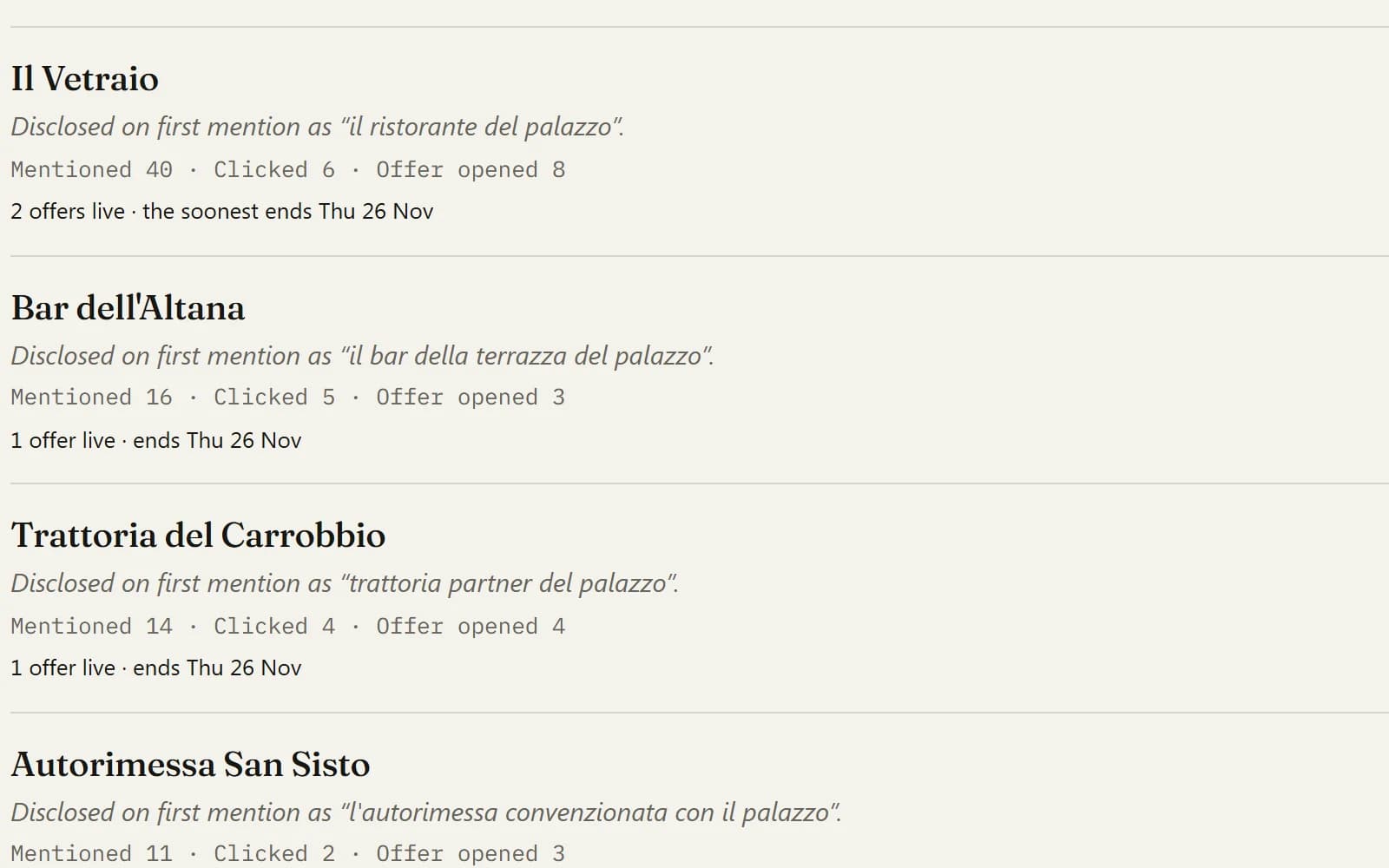
Revenue & partners
See how often each partner was mentioned, clicked and opened. Attributed counts, never totals.
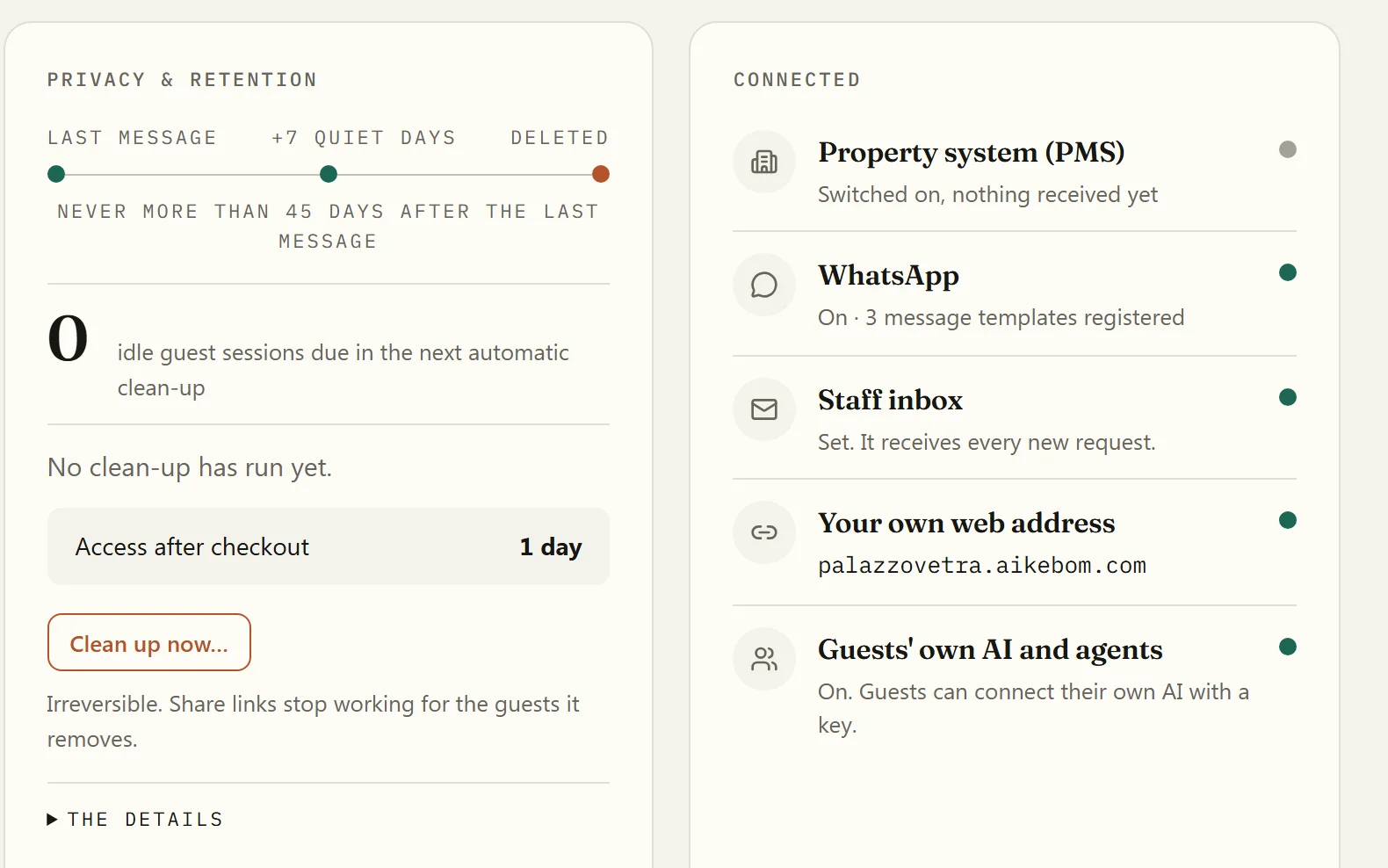
IT & data protection
Named sign-in with Google or a Microsoft work account, retention drawn as the rule, and each connection’s status on one page.
Rooms in house and arrivals come from your PMS connection.
Live without touching your systems. Connect your PMS when you are ready. How it connects
By text or voice. Branded as yours, live in weeks.
Hotels & resorts
Always-on. Runs 24/7, all year, for every guest who checks in — your property and your city, in their language. A subscription per property.
Learn moreEvent organisers
Dated. Anchored on one event’s programme and dates, then purged when it’s over — the whole stay, your sponsors, your live-ops. A licence per event.
Learn moreOn the guest’s side
Not a roadmap. Every capability below is running in production right now — at a property, at an event, or both — and you can see each one in a 20-minute demo.

Arrival · 23:40
“The room won’t cool down and reception’s gone quiet.”

The free evening
“Where do people who actually live here eat?”
In her own language
“Onde fica a praia mais tranquila?”
Day two of the summit
“What’s on the main stage after this?”
Moved to 318 at noon
“He never had to mention the new room.”
Guests and attendees chat or speak with it in six languages, on their own phone, with nothing to install — and at a property, on WhatsApp too. It carries your name, your colours and your tone.
Upload the in-room guide, the menus, the manuals, the floor plans. The concierge answers from them and cites the source — “per the in-room guide, page 12”. Add your photographs and diagrams too: once you publish them, it shows the right one inside the answer. Your facts, not the internet’s.
Real itineraries built around your property or your programme: your restaurant tonight, the museum tomorrow, the transfer on the right day. Exportable to calendar, PDF or a share link.
A guest asks for a late checkout, an attendee for a taxi — your team sees it on a live screen and confirms. At a property, the guest is then told when your team marks it done, without having to come back and ask. The agent proposes; a person decides. It never acts behind your back.
Your outlets, partners and sponsors come first — always with the partnership disclosed, and never above a genuinely better fit. People trust what is labelled.
Connect a hotel’s PMS and the concierge knows who checked in, their room and their dates — a guest moved to 318 gets answers about 318, without being told. Turn on the welcome, and check-in emails the guest a private link straight into a conversation that already knows their name and room.
Sessions need no account and delete themselves on a published schedule: an event on its cut-off date, a guest about a week after they stop using the concierge — never more than 45 days past their last message. At a property, where the PMS reports a guest’s checkout, their access ends shortly after it, so that week starts. Built into the schema, not bolted on.
Each property and event can run its own MCP endpoint — the standard interface AI assistants use to talk to services — off by default, switched on with your plan, and reached with a key we issue for each integration. Verified end to end: a guest’s own Claude quoting your official information, your partners and their offers, disclosure attached.
When an event ends — or every month, for a property — you get a dated report: what people asked, the languages they actually used, what they wanted and couldn’t get, and how often your partners were surfaced. Counts, topics and an example for each, with most email addresses and phone numbers removed; no conversation text goes into it. Download it, or have it mailed to your team.
House · trust, in plain sight
Your team can sign in as themselves, with their own Google account or Microsoft work account, as Organiser or Front desk, and each role sees its own screens.
A guest’s conversations, by default
By default, a guest’s conversations are deleted about 7 days after their last message (later only if they gave a later departure), and never more than 45 days after it. Booking details from your property’s system follow the stay.
Where it comes from
Aikebom began as a live concierge for NFC Summit 2026 visitors in Lisbon. When a transit strike hit the day before the doors opened, it warned every arriving visitor it was talking to, in their own language, how to get into town.
Read the case study We still ship every week — see what’s new
Book a 20-minute demo. We’ll show you the concierge your guests would talk to, on your property and your city, and walk you through the back office your team would run it from, on Palazzo Vetra, our demo property.