Organiser
The whole back office for their own property: Today, the desk, the Studio, Insights and House.
Back office · included with Aikebom Concierge AI
Five places for the people who run the house, and one board for the front desk. Drawn around your property, its rooms, its day and its guests’ requests, not around an inbox of chats.
Every screen on this page is Palazzo Vetra, our demo property: a hotel.
Rooms in house and arrivals come from your PMS connection.
Today · the house, now
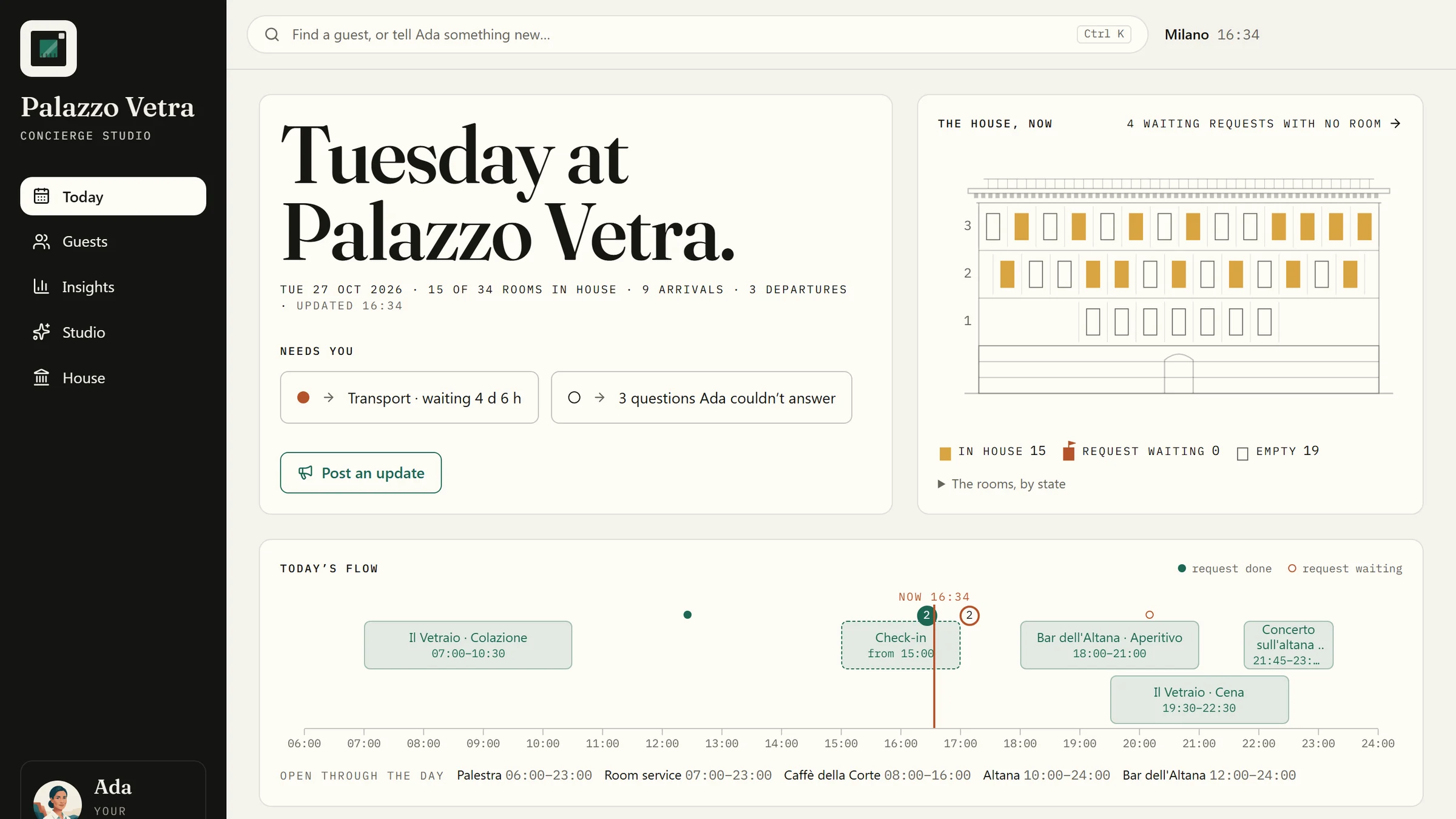
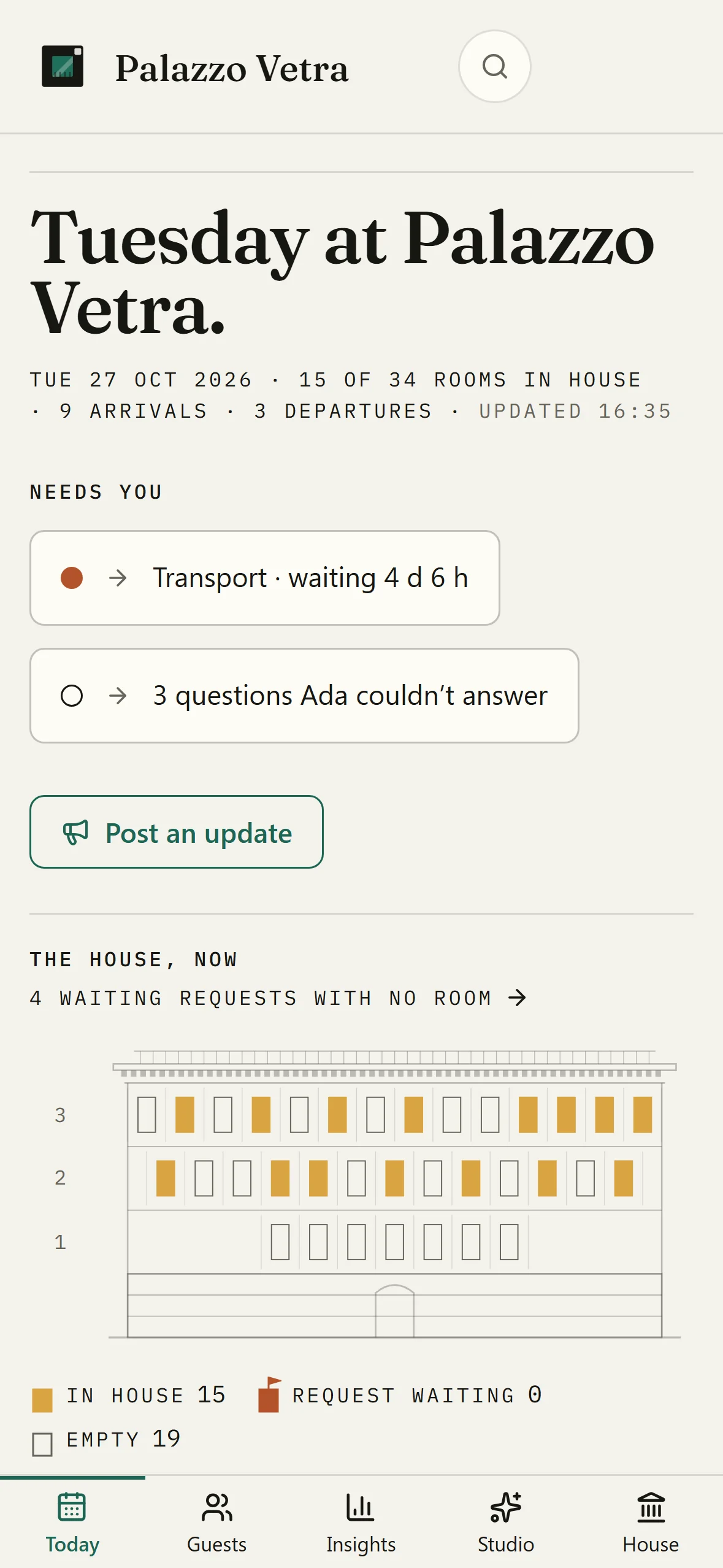
Open the back office and your property’s day is the first thing you see: who is in, what is waiting, and what needs you.
Rooms in house and arrivals come from your PMS connection.
The desk · for the evening shift
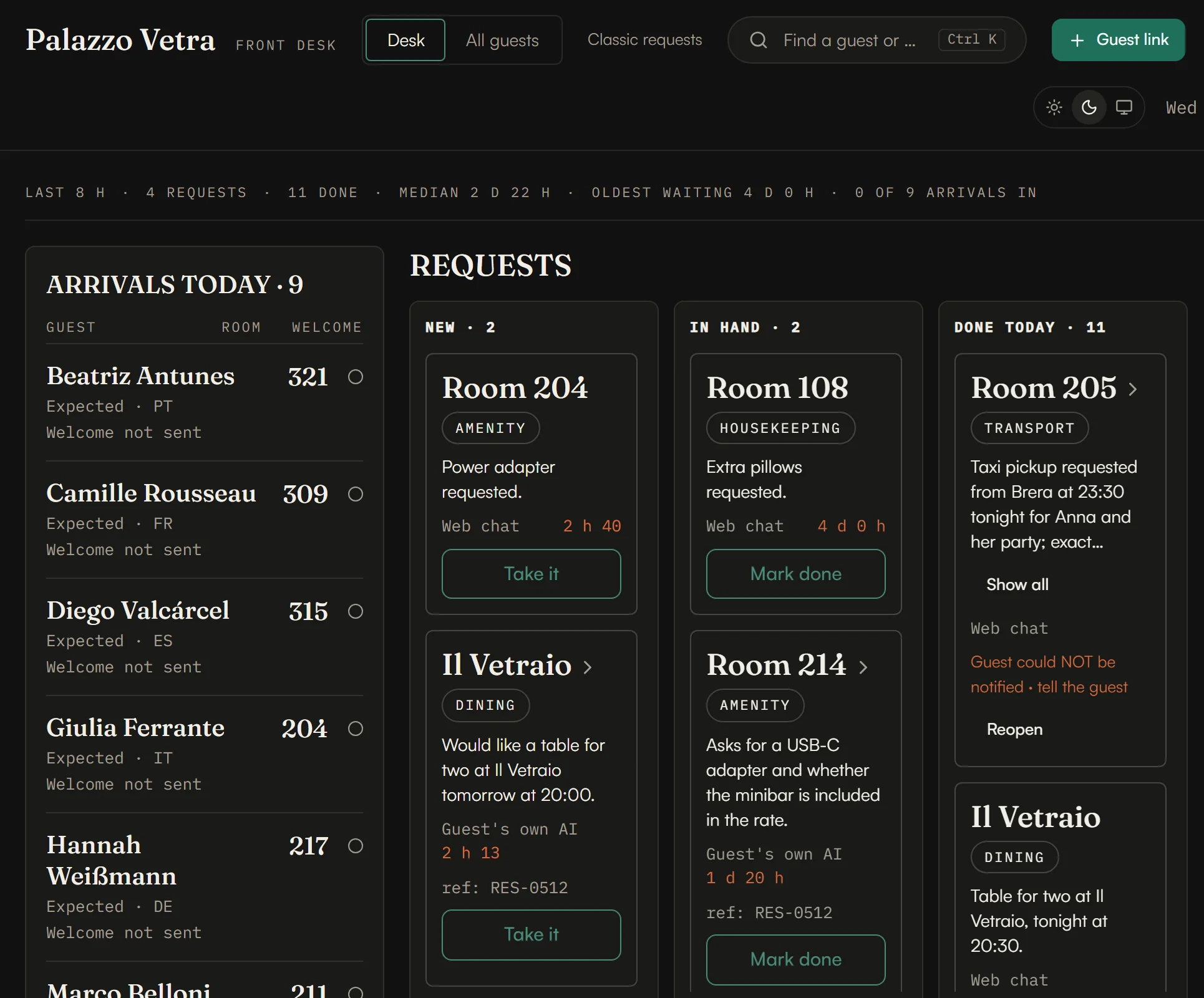
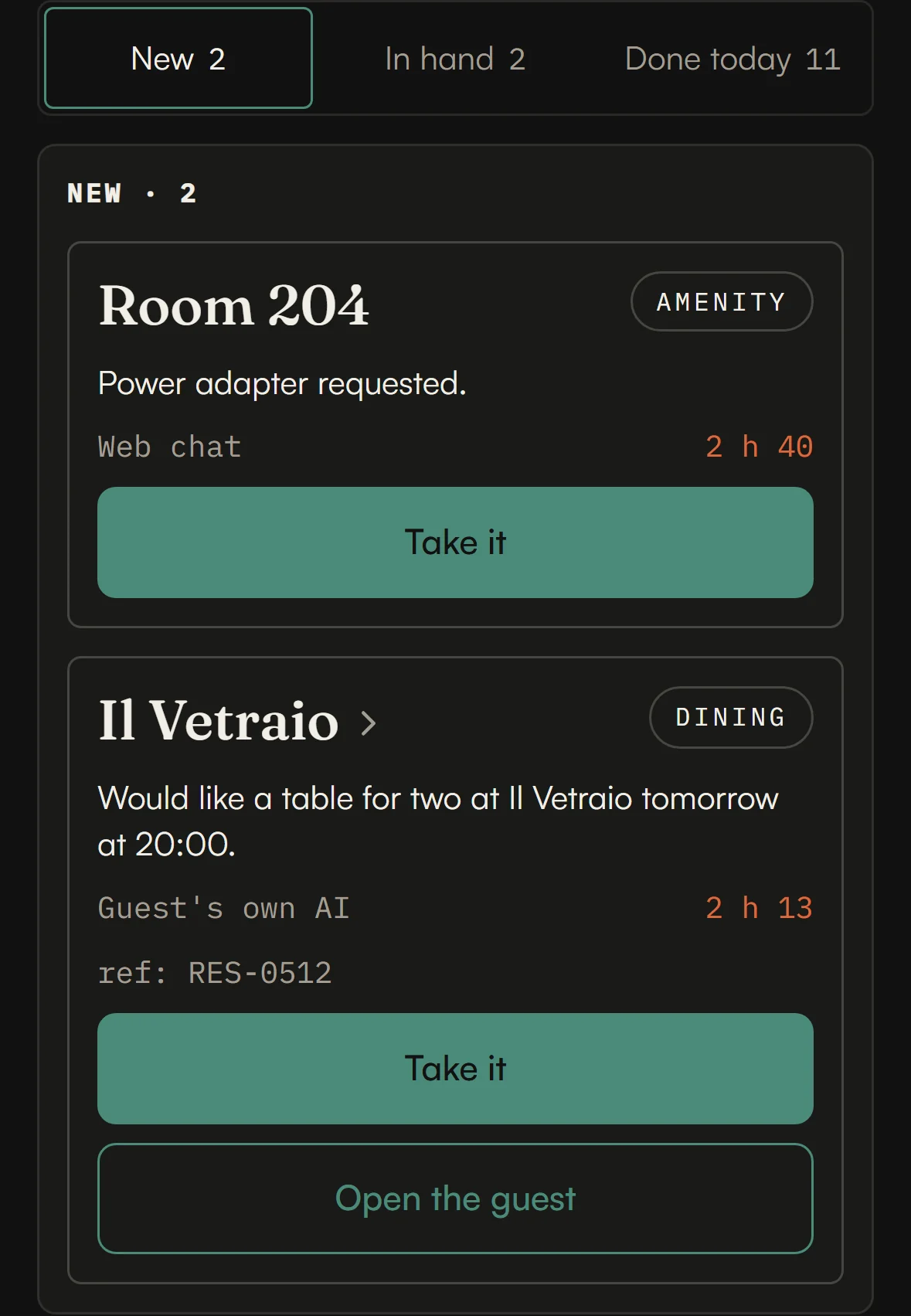
Your front desk works from one board, dark by default for the evening shift. Every request the concierge raises lands in New with its room or place, how it came in and how long it has waited. Take it, mark it done, and reopen it if you need to.
The desk never shows a guest’s conversation.
Rooms in house and arrivals come from your PMS connection.
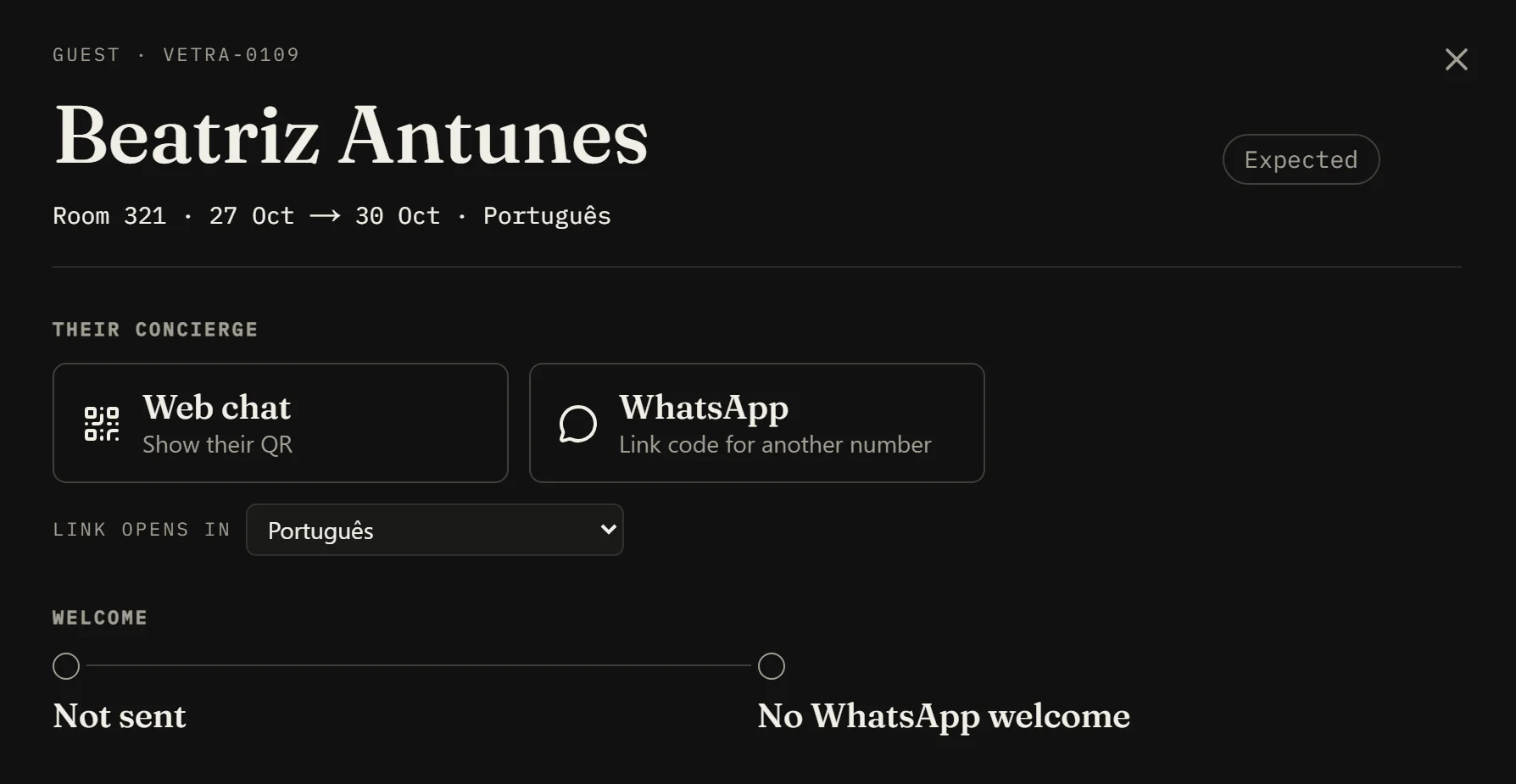
Open a guest from the arrivals list, from All guests, or from a request tied to their stay: their room, dates and language, the ways to reach their concierge, and how their welcome went.
Need a guest in the concierge now? Make them a personal link from the desk and choose how many days it opens the concierge: one, three, seven or thirty.
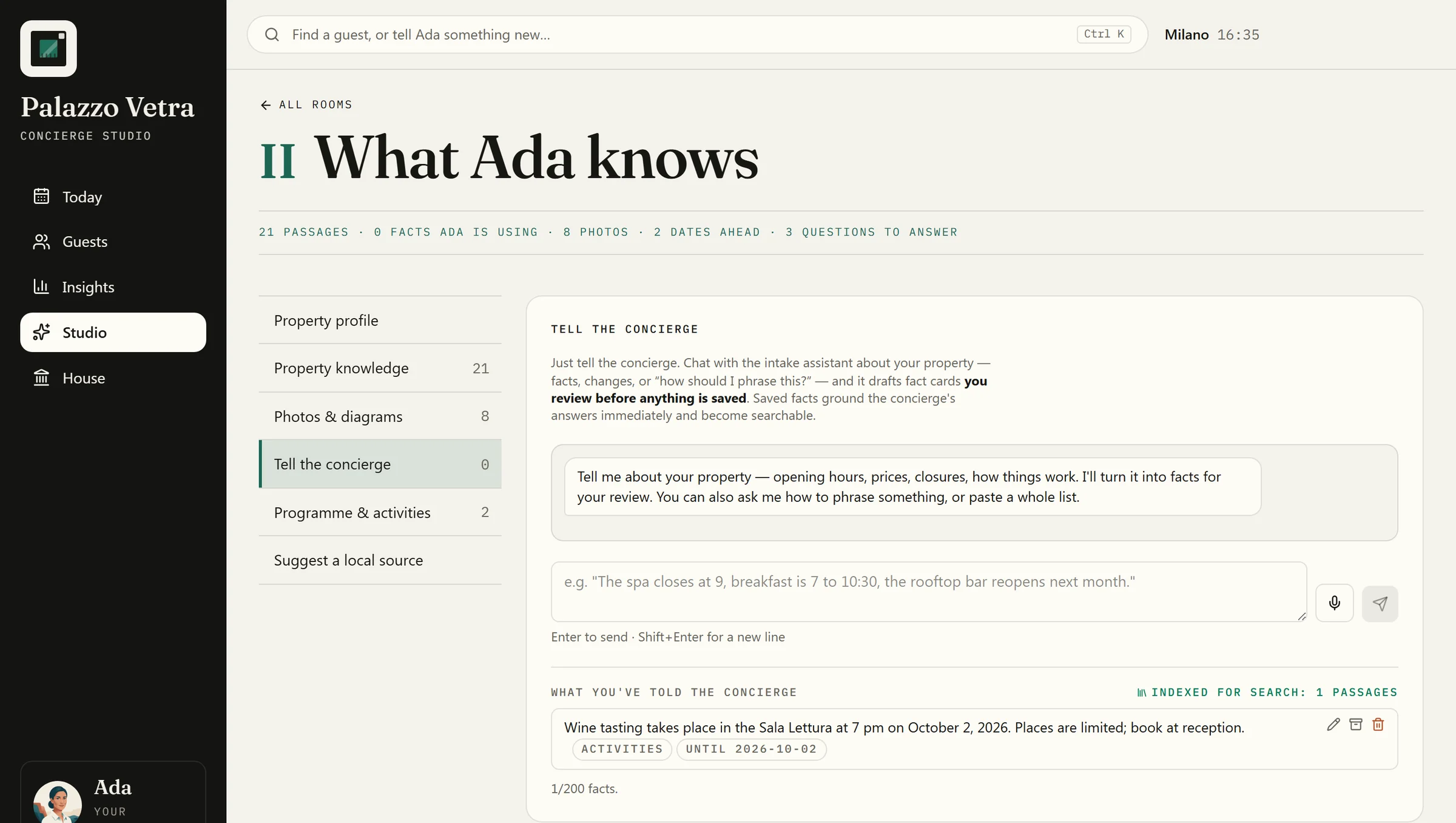
The Concierge Studio
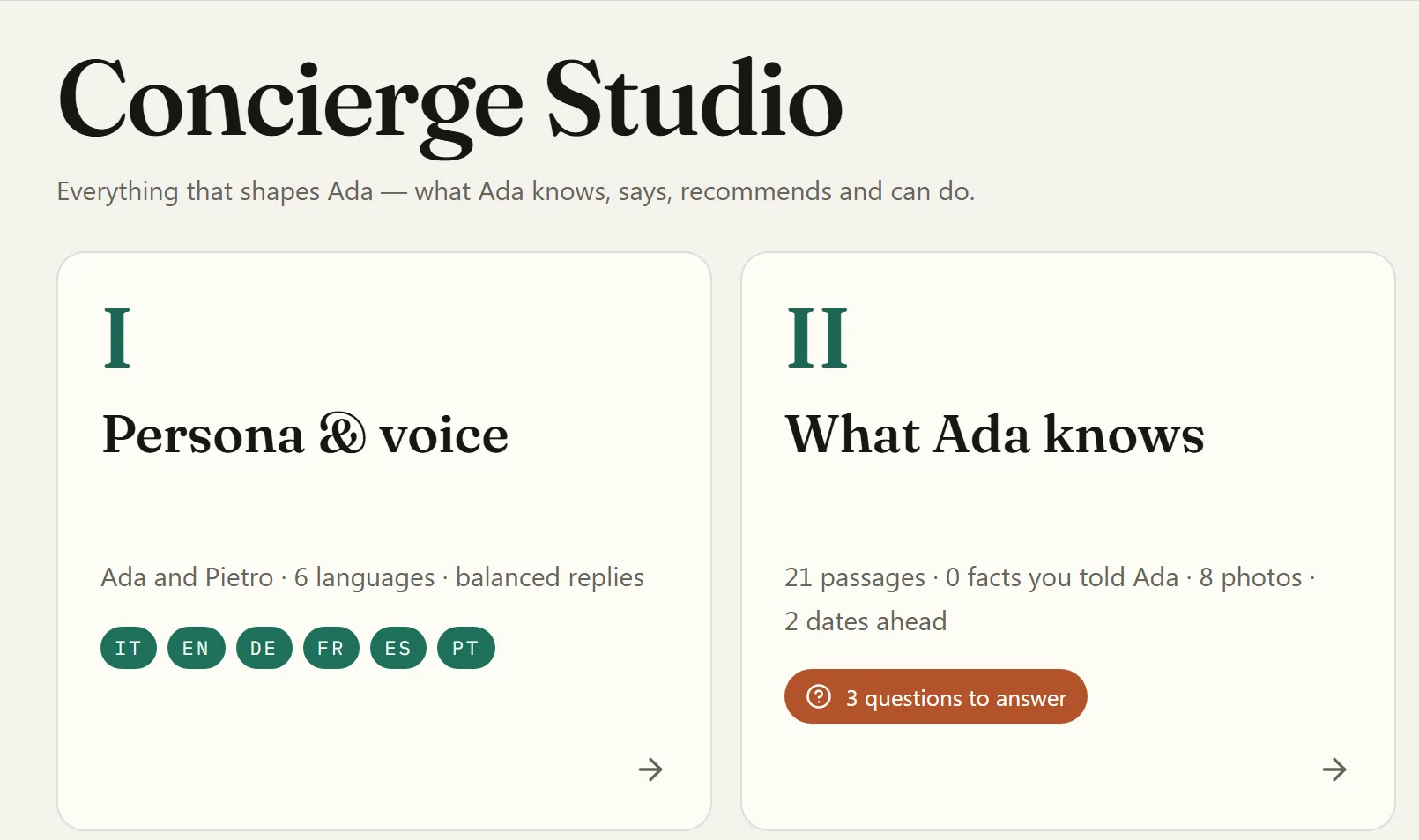
Everything that shapes your concierge sits in six rooms. Say a change the way you would to a colleague (the spa closes at nine, the rooftop bar reopens next month) and it drafts the facts for you to check. Nothing is saved until you do.
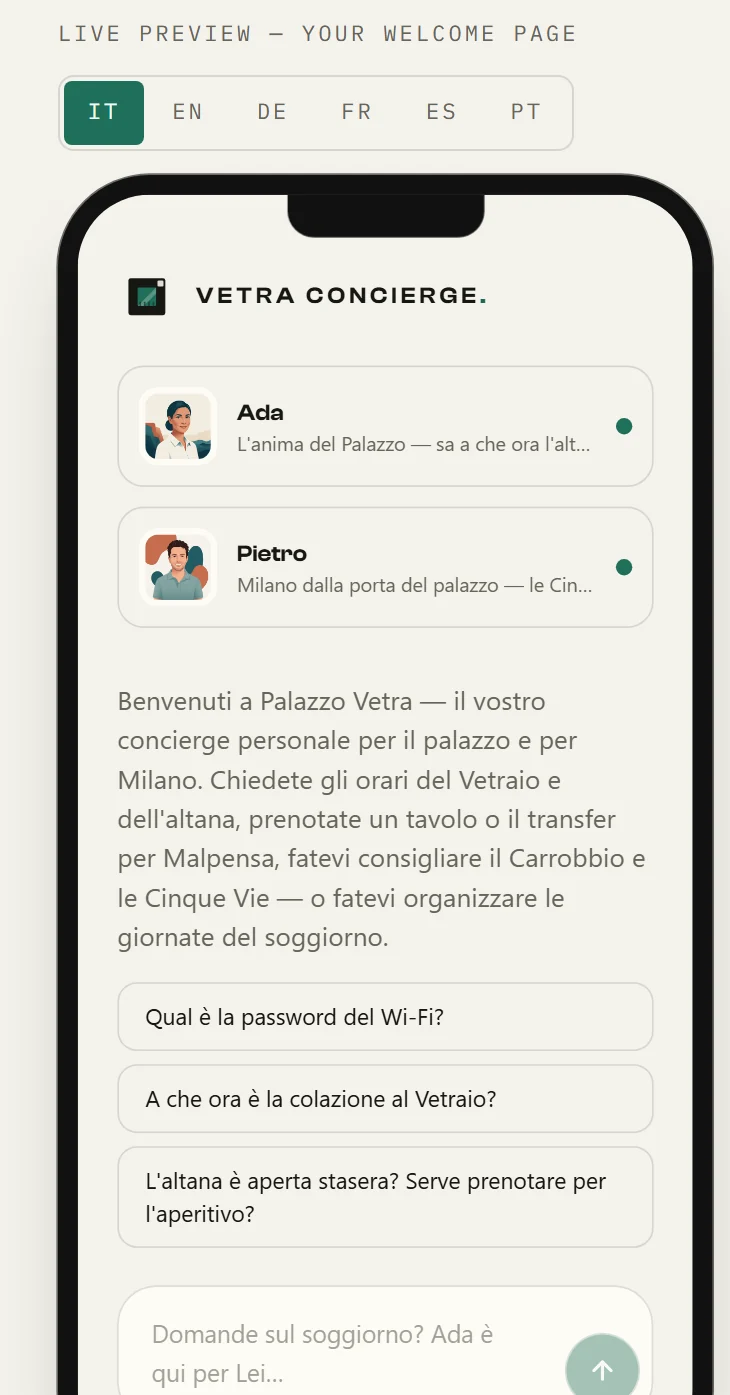
The preview shows the property’s own welcome page, written in Italian.
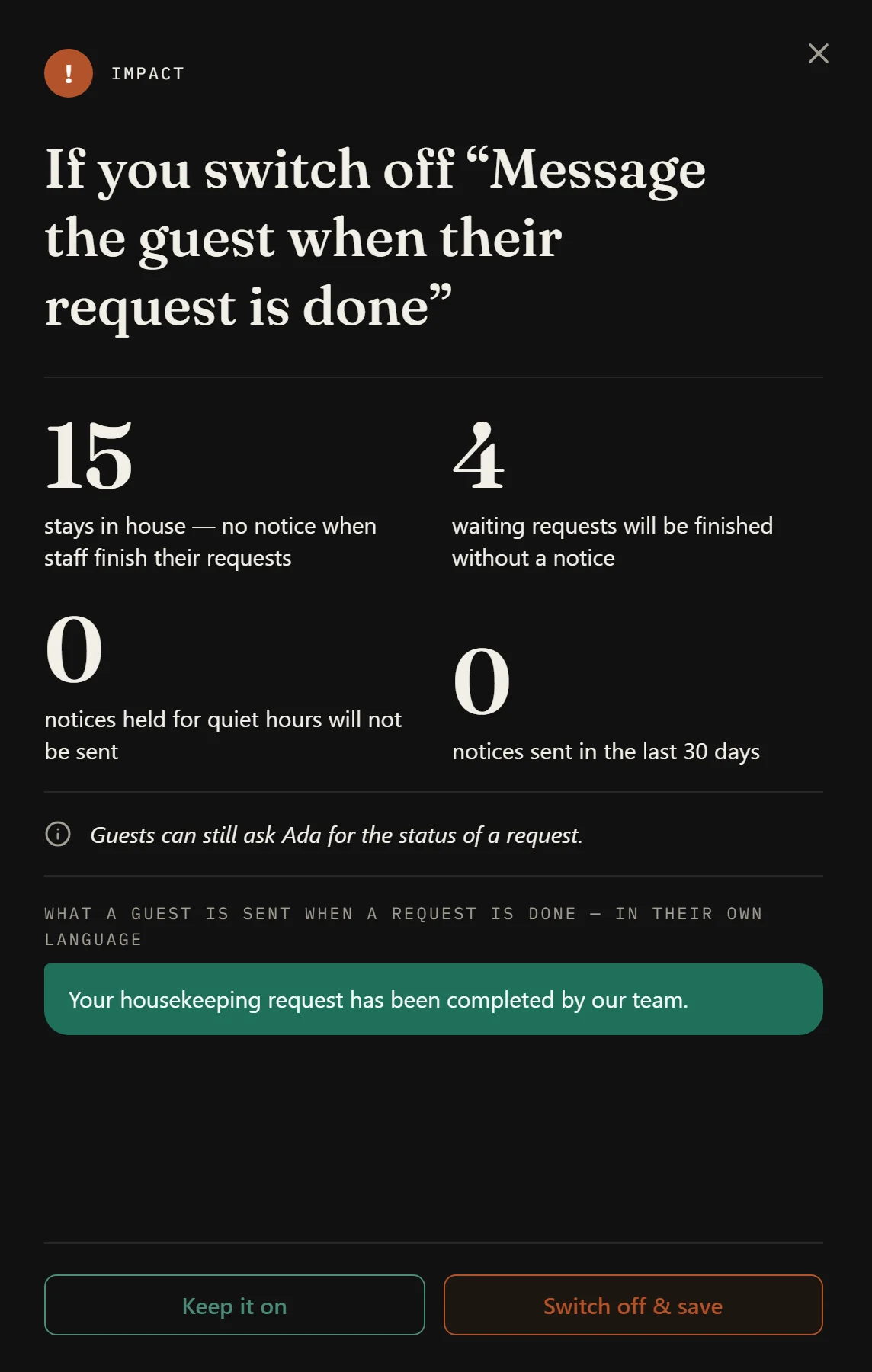
Switch off a message guests receive and the Studio first shows what it touches: the stays in house, the waiting requests, and the message a guest is sent when a request is done. Keep it on, or switch off and save.
Rooms in house and arrivals come from your PMS connection.
Insights · the month on paper
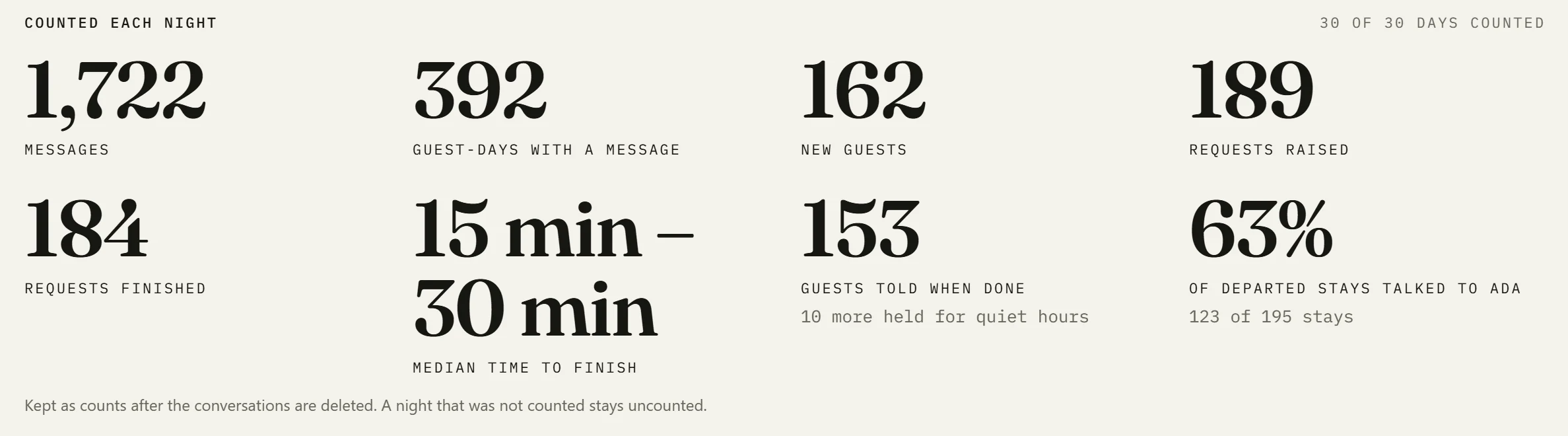
Insights counts each night, and any counted month becomes a printable edition, from your own data. Messages, requests raised and finished, the time they took, and how often each partner was mentioned, clicked and opened.
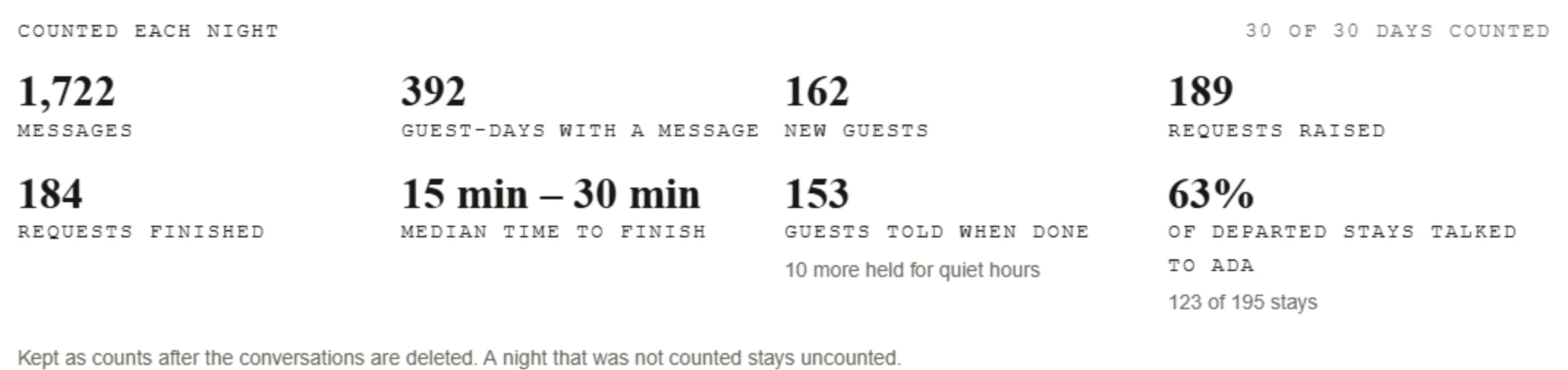
The edition’s figures are counts: no guest names, no rooms. It also lists the topics the concierge couldn’t answer.
The share of departed stays that talked to the concierge is counted from your PMS connection.
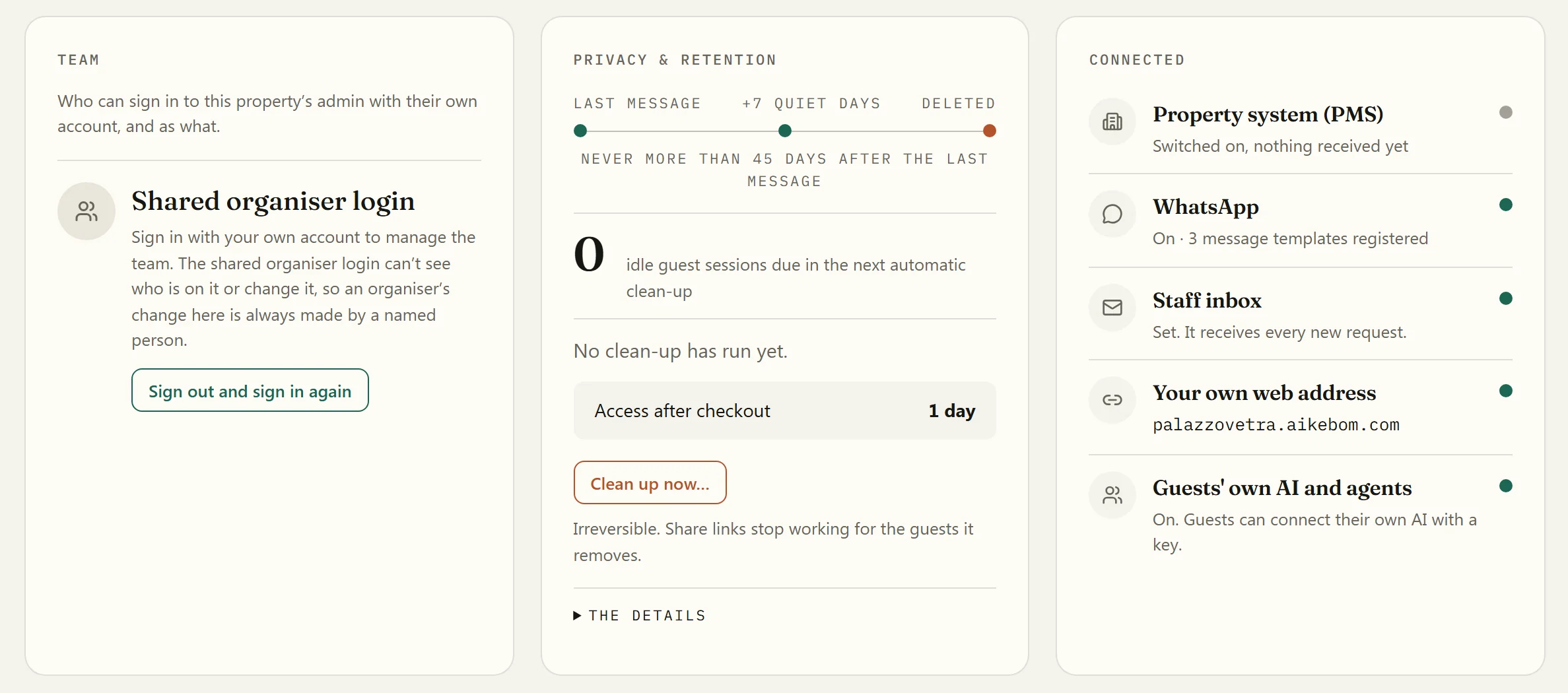
House · trust, in plain sight
Your team can sign in as themselves, with their own Google account or Microsoft work account, as Organiser or Front desk, and each role sees its own screens.
Shared role passwords still exist beside named sign-in.
A guest’s conversations, by default
By default, a guest’s conversations are deleted about 7 days after their last message (later only if they gave a later departure), and never more than 45 days after it. Booking details from your property’s system follow the stay.
Find, or tell
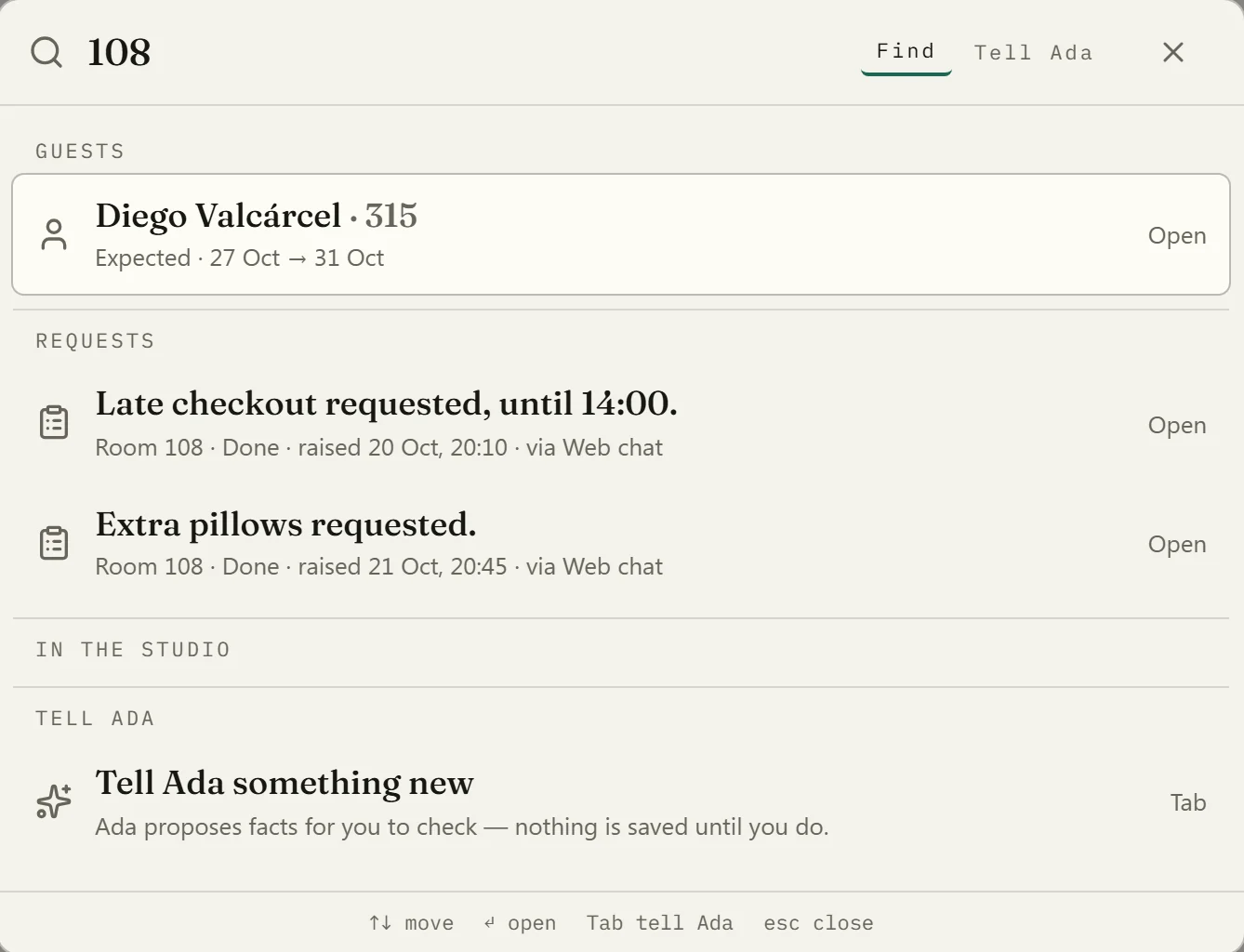
Press Ctrl K, or ⌘K on a Mac, and type a room number or a guest’s name to jump to the stay, its requests or a page of the back office. Press Tab to tell the concierge something new instead: it proposes facts for you to check, and nothing is saved until you do.
Rooms in house and arrivals come from your PMS connection.
Who sees what
Organiser
The whole back office for their own property: Today, the desk, the Studio, Insights and House.
Front desk
The desk: the board of requests, today’s arrivals, each guest’s stay and guest links. Today, the Studio, Insights and House belong to the organiser.
On a phone, and in Italian
The back office fits a phone: the five places become a tab bar, and the desk shows one lane at a time. Its screens are also in Italian, switched from the user menu. A few editors inside, error messages and page titles are still in English.
Rooms in house and arrivals come from your PMS connection.
What it will never show you
The board and the drawer show the request the concierge wrote up, its status and its age, never the conversation.
Today and its welcome figures name no guest. The figures in Insights and the edition are counts, with no names or rooms behind them.
It shows requests, response times, languages and partner reach. It does not estimate money it can’t count.
It shows how often each partner was mentioned, clicked and opened. Attributed counts, never totals.

Questions
Not from the desk. The board and the drawer show the request the concierge wrote up, its status and its age, never the conversation. That is by design.
No. The concierge raises a request and never promises what your team hasn’t approved. Your team acts from the desk. Where your property has switched notices on and has a way to reach the guest, the guest hears on WhatsApp or by email when the request is taken and when it is done; when a guest can’t be reached, the desk shows it.
Yes for requests, the Studio, announcements and most of Insights. Arrivals, rooms in house, room moves and the check-in welcome need your PMS connected, through a vendor-neutral contract your integrator can wire.
No. It shows requests, response times, languages and partner reach. It does not estimate money it can’t count.
Not by itself. It never asks a phone for its location. Your team sees only what a guest puts in a request, such as a pickup point. It answers when a guest asks, wherever they happen to be.
As soon as the guest has their link: in a message before arrival, at check-in, or from the desk. A link tied to a booking stops working after checkout (plus any grace the property sets); a link from the desk lasts the days the desk chose, and a phone that opened it can stay signed in after that until its chat is deleted. A guest’s conversations are deleted on the property’s retention schedule.
Book a 20-minute demo. We’ll walk you through the five places and the desk on Palazzo Vetra, our demo property, and show you the concierge your guests would talk to.